

This integration integration tutorial will help you set up Anonymous Proxies' residential proxies in OpenBullet to enhance your automation workflows.
HTTP Proxies are handling HTTP requests towards the internet on behalf of a client. They are fast and very popular when it comes to any kind of anonymous web browsing.
A rotating mobile proxy routes internet traffic via mobile devices, offering unique IP addresses from mobile networks. It is a very good choice for SEO monitoring, social media management, web scraping and ad verification, since it frequently changes IPs to avoid blocks.
SOCKSv5 is an internet protocol that is more versatile than a regular HTTP proxy since it can run on any port and traffic can flow both on TCP and UDP. Useful in games and other applications that do not use the http protocol.
OpenBullet is an open source software that assists you in automating the interaction you have with websites and online services. Instead of clicking around manually, you create configs that send requests, read the responses and trigger the next step for you. People mainly use it to check the security and behavior of their own projects, but it is also popular for handling repetitive everyday web tasks.
This guide uses the latest OpenBullet 2 release and focuses on the web client. There are several ways to install and run it, so always follow the official instructions for your operating system. Before you continue, make sure Microsoft .NET 6 or a newer version is installed and that you can open the OpenBullet 2 dashboard in your browser. The web client runs in a browser and can be hosted on Windows, macOS, Linux, or a server, while the native Windows app feels faster but is less portable. For flexibility and easy remote access, this tutorial sticks to the web client.
Before we dive into OpenBullet itself, take a moment to log in to your Anonymous Proxies dashboard and get your proxy credentials ready. In this example, we will use residential proxies, but you can use any type of proxy you have and just follow the same logic.
Once you logged in the dashboard, go to my dedicated proxies.
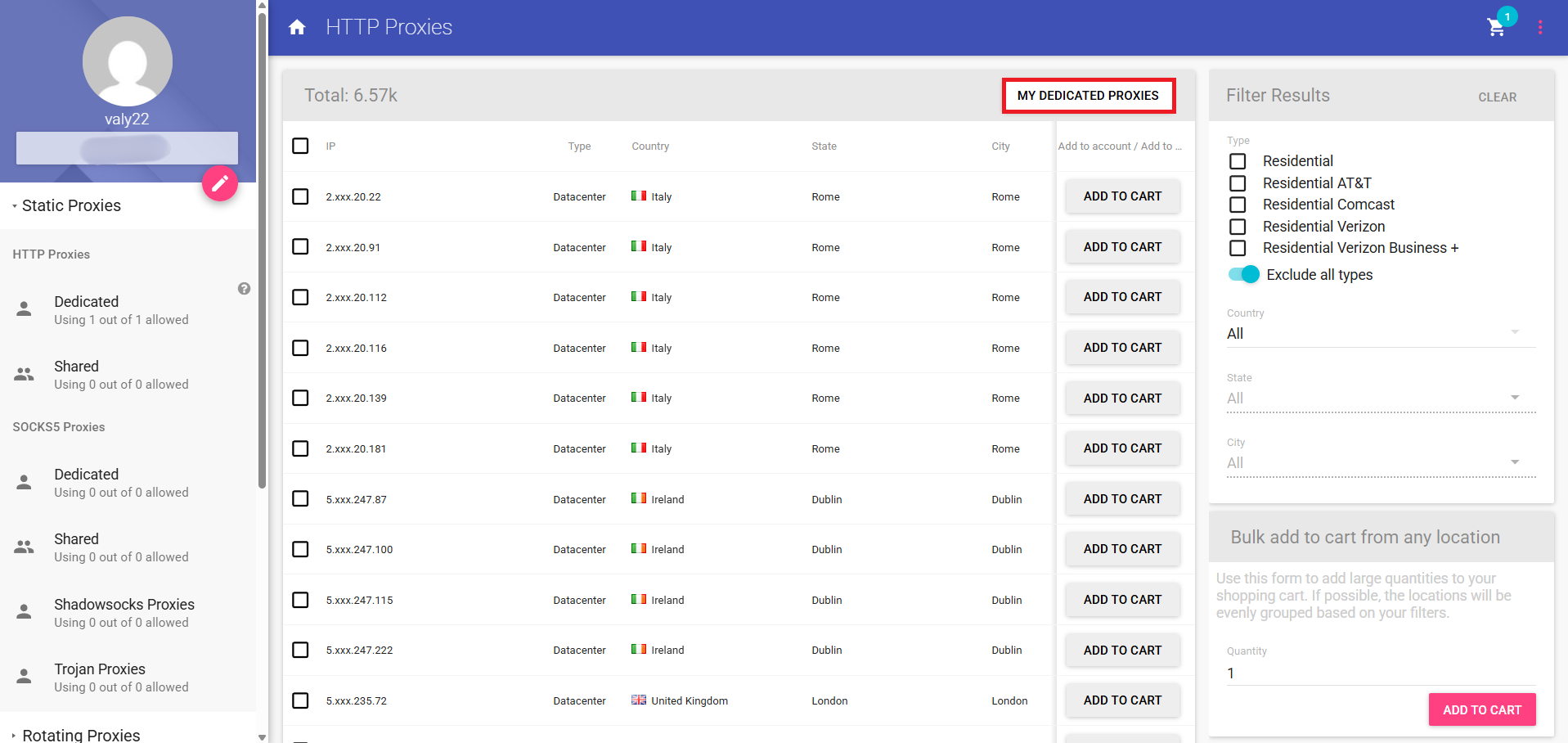
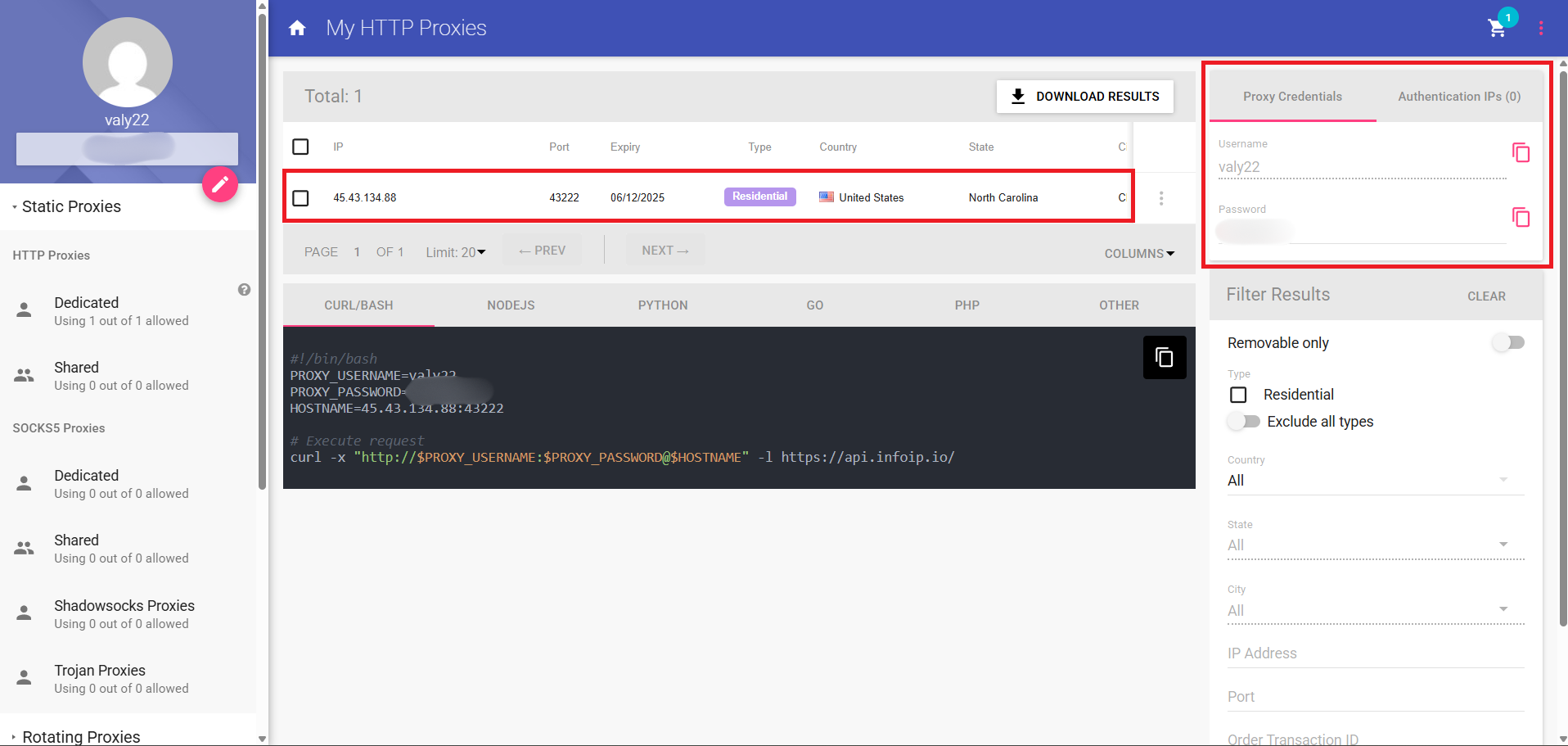
Once you are on my dedicated proxies window, you can save your proxy details.
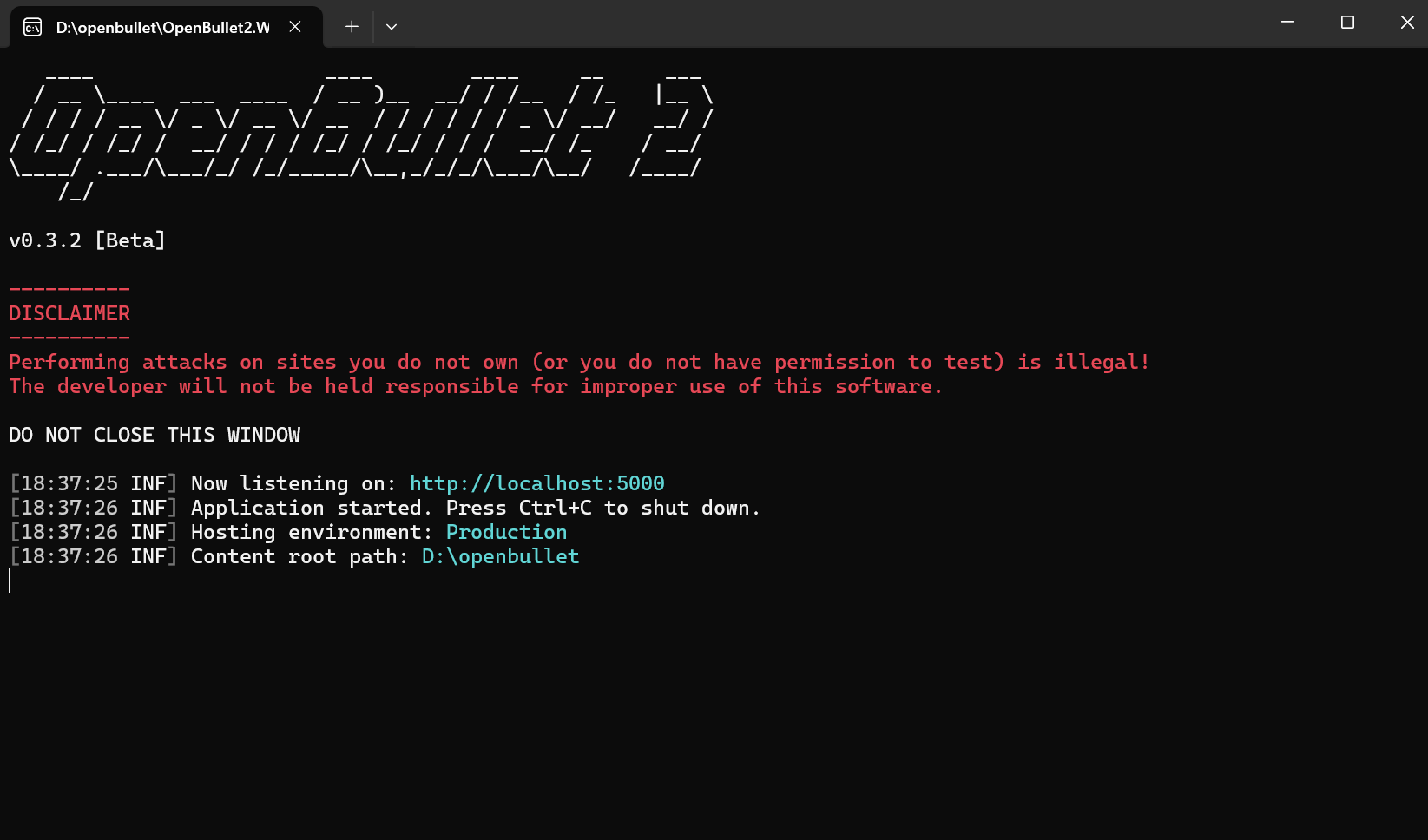
Now, it's time to open OpenBullet2.Web.exe. Once you do this, a console window will open which will show you that it is listening on http://localhost:5000. Once you see that, open the link in your browser to access the dashboard.
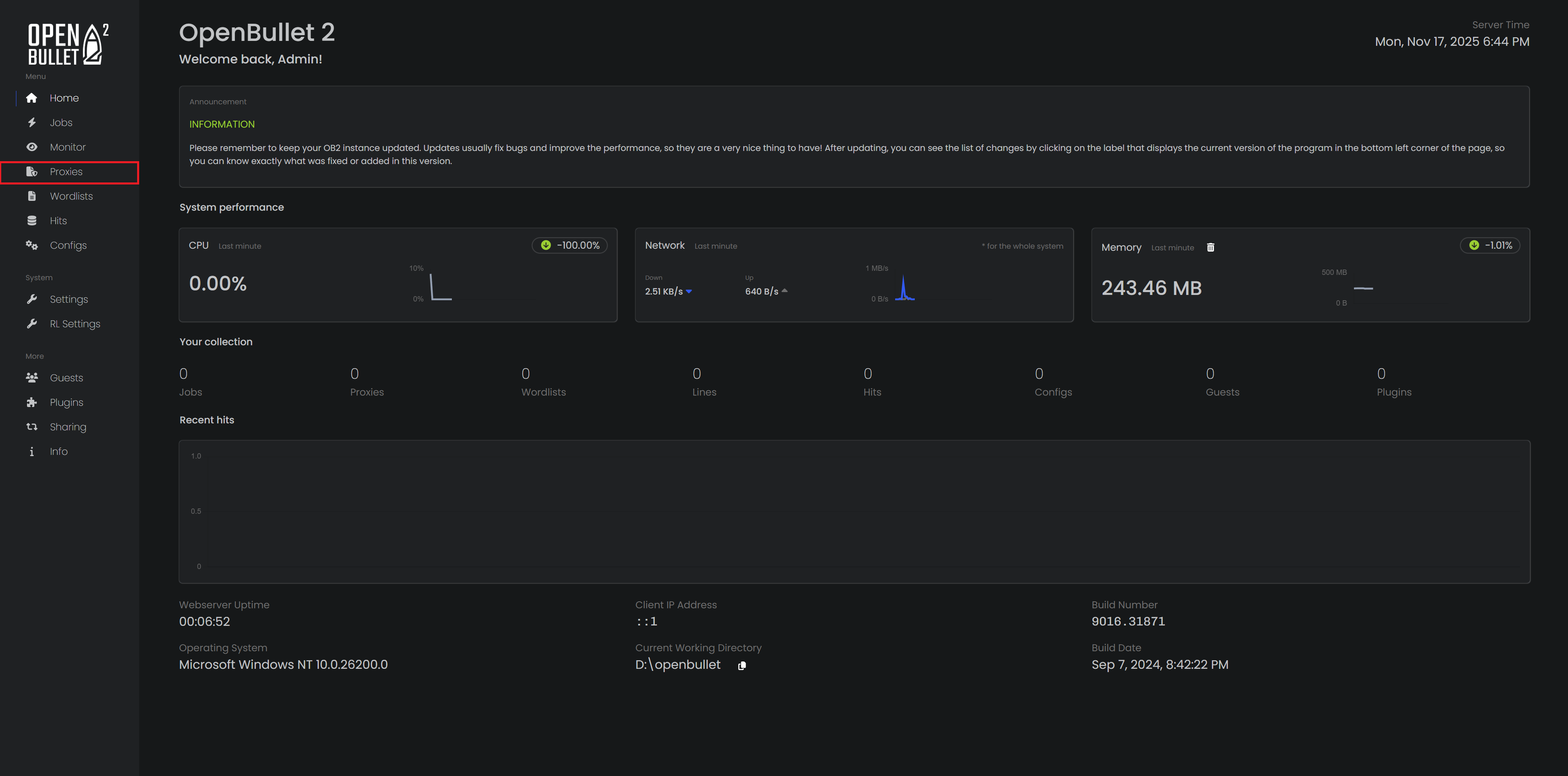
Once you're inside the dashboard, look at the left menu and click on Proxies.
At the top of the Proxies page, select Create a proxy group.
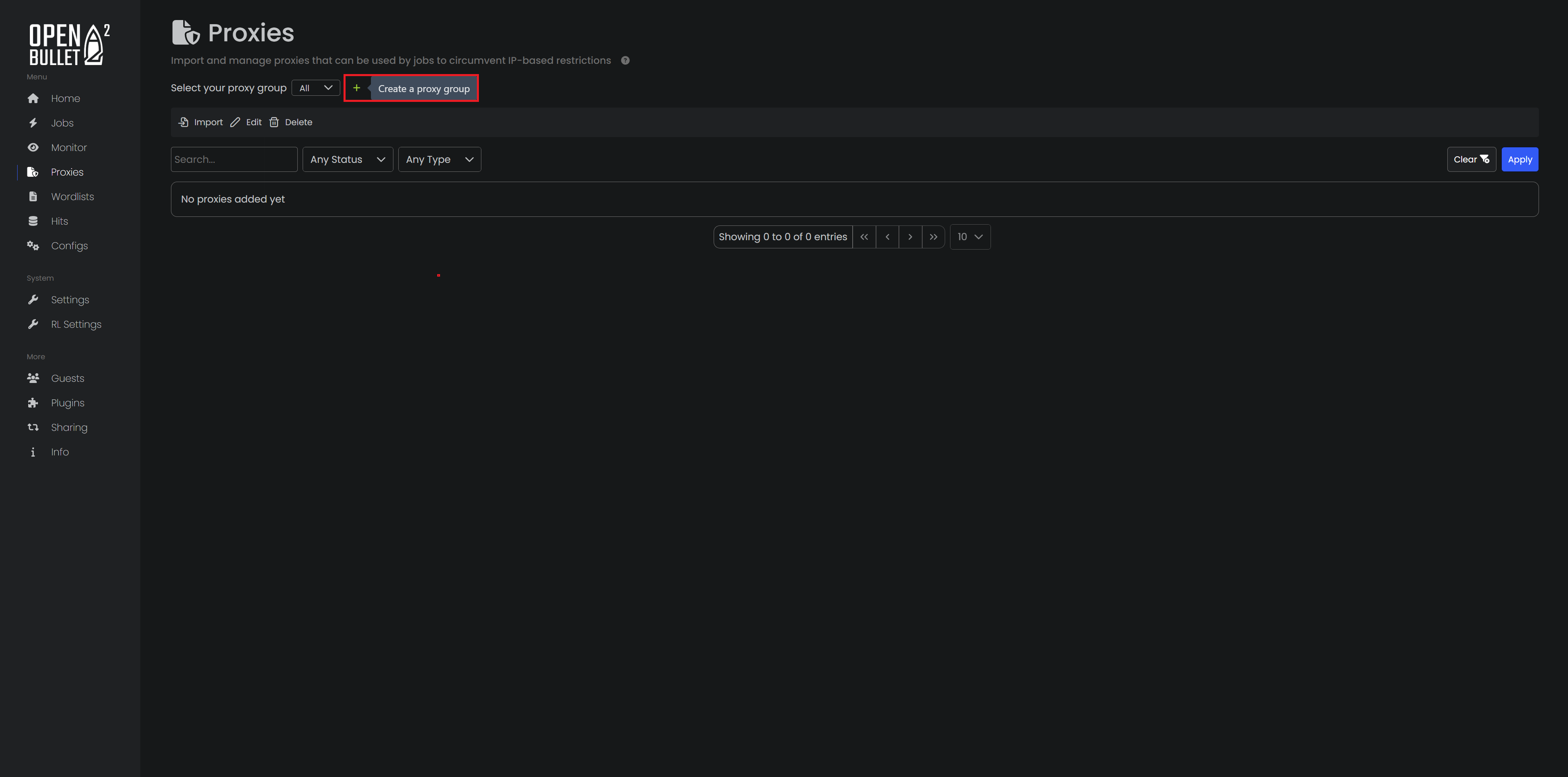
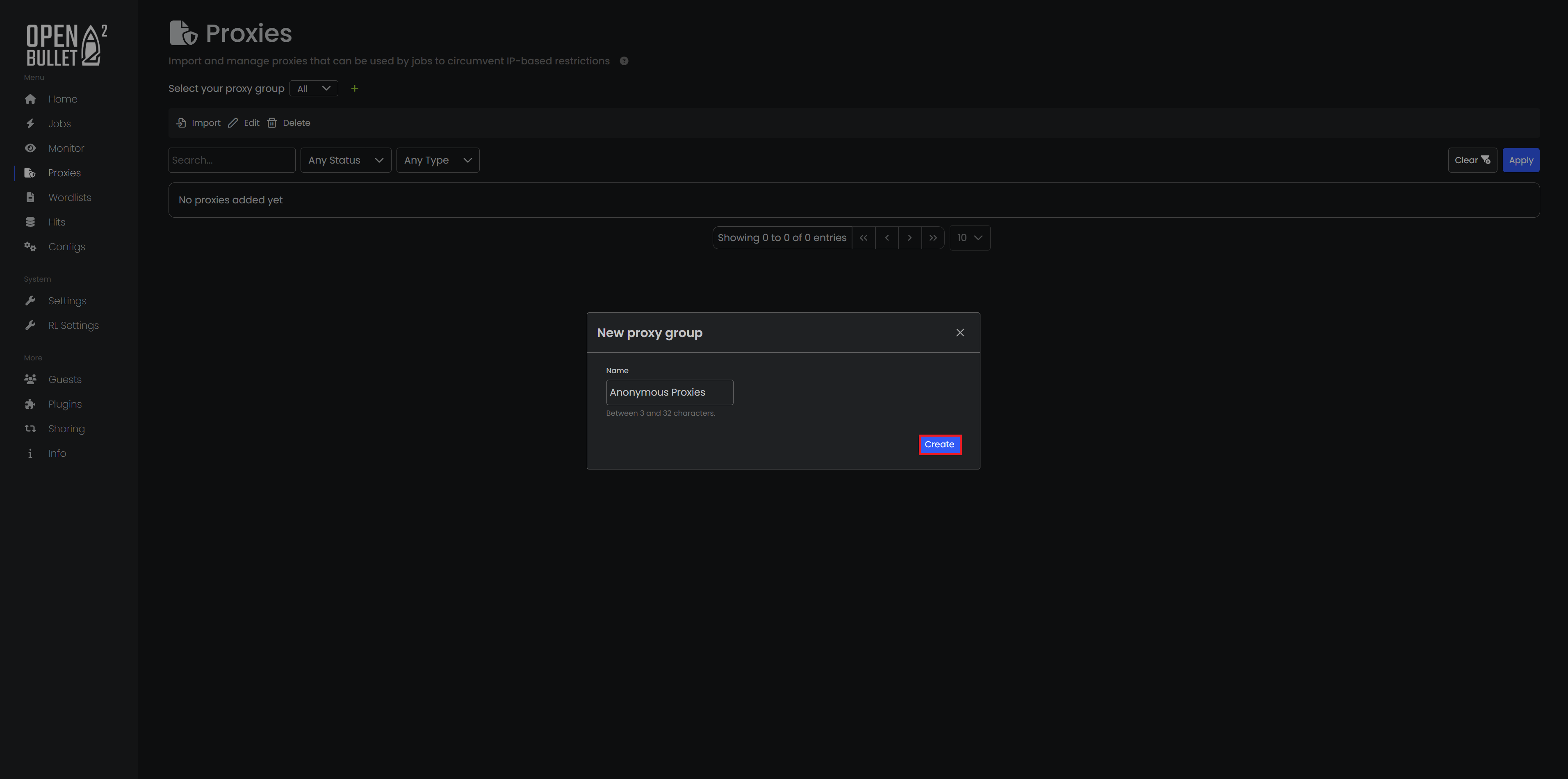
After you do this, a window will open where you can name your group. Name it, then confirm it.
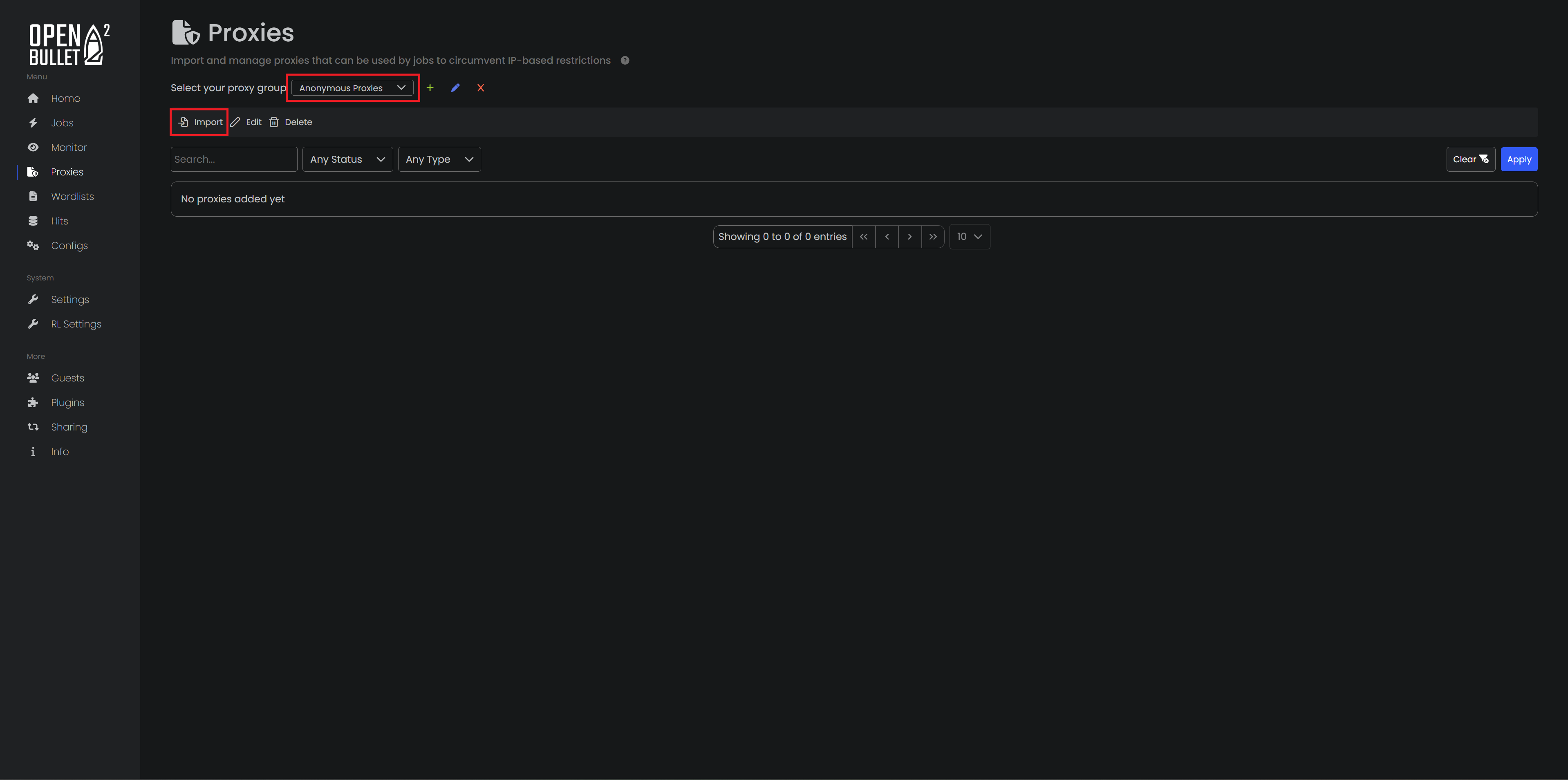
After the group is created, make sure it’s selected in the drop down menu. Then click Import to open the import popup.
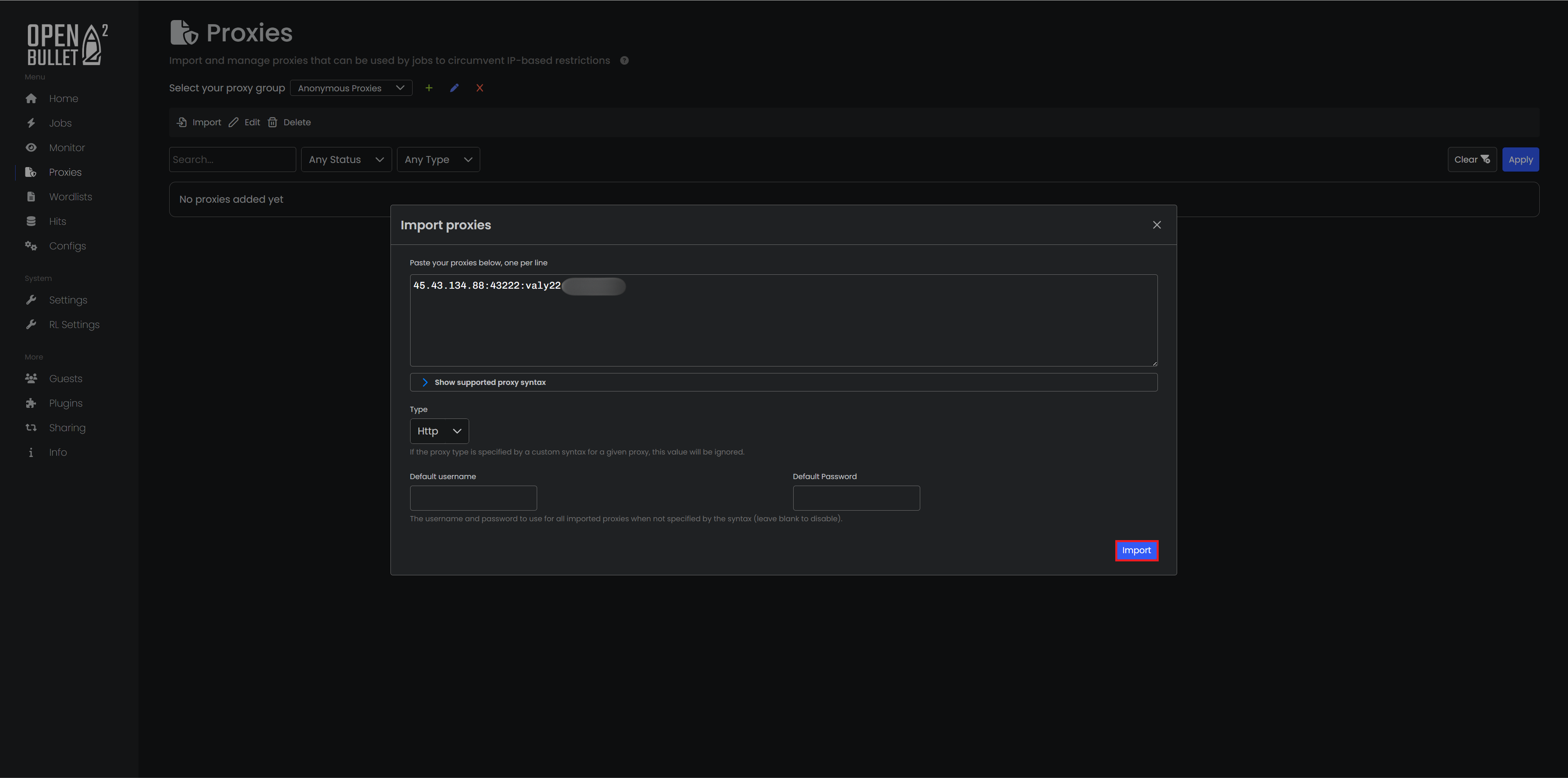
In the popup, paste your residential proxy credentials into the box. Use the same format I used, then click on Import.
To verify everything is working, go to the Jobs menu on the left and click New.
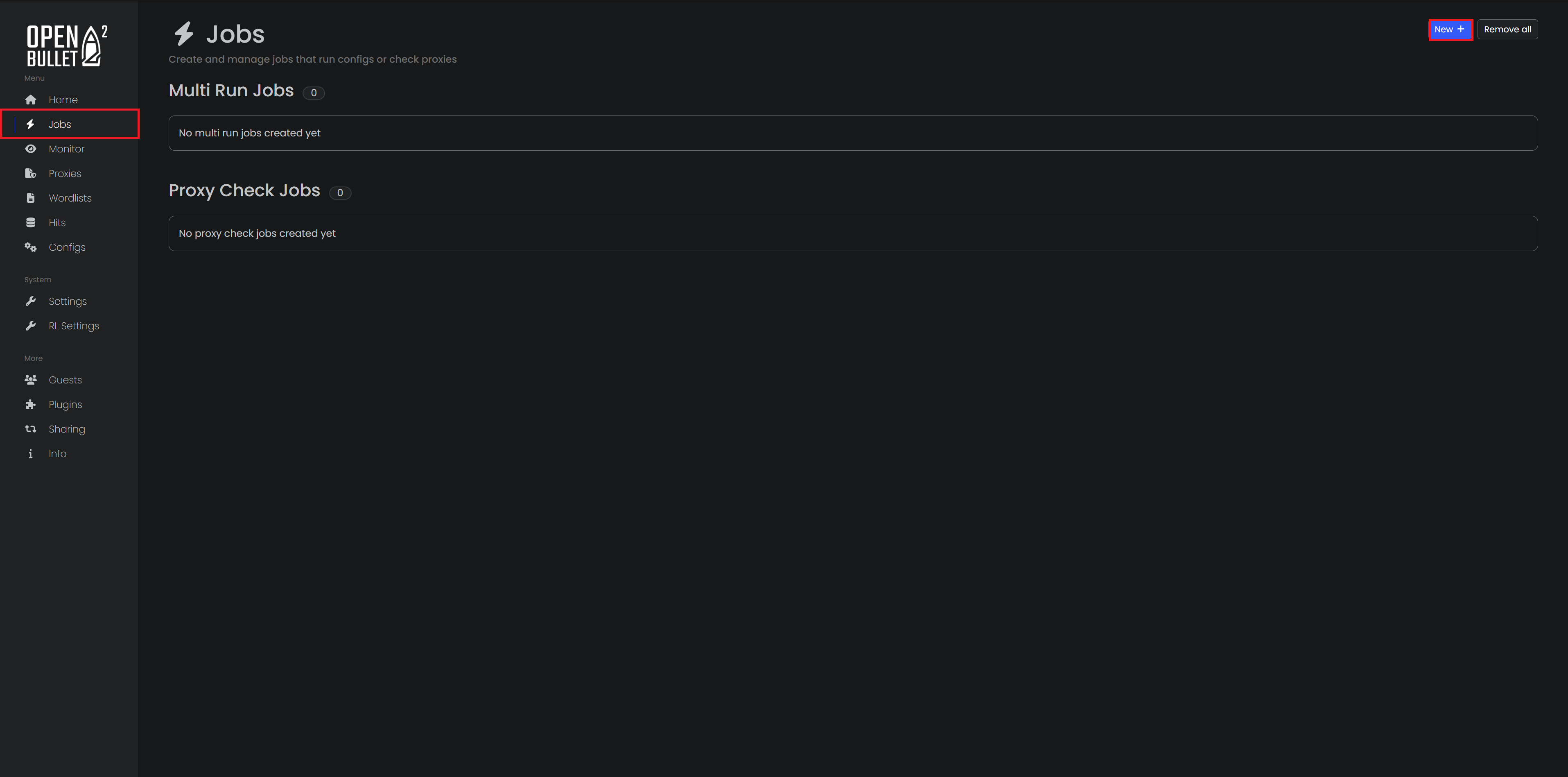
Once you clicked on on New, you can choose Proxy Check Job from the two available options.

On the job creation screen, enter a name like Anonymous Proxies Check, select your proxy group, and set a simple target URL such as https://duckduckgo.com/. Use DuckDuckGo as the success key.
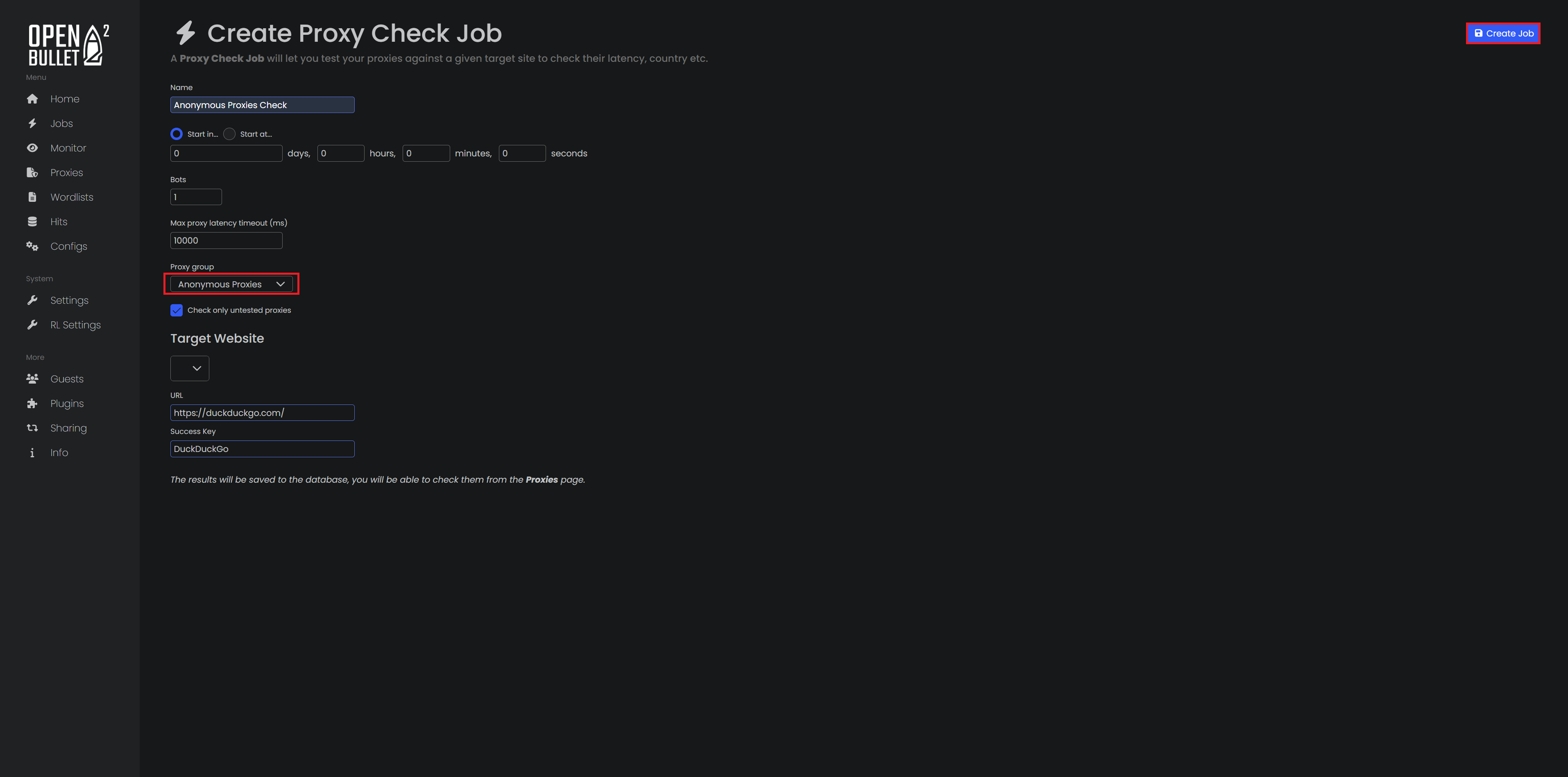
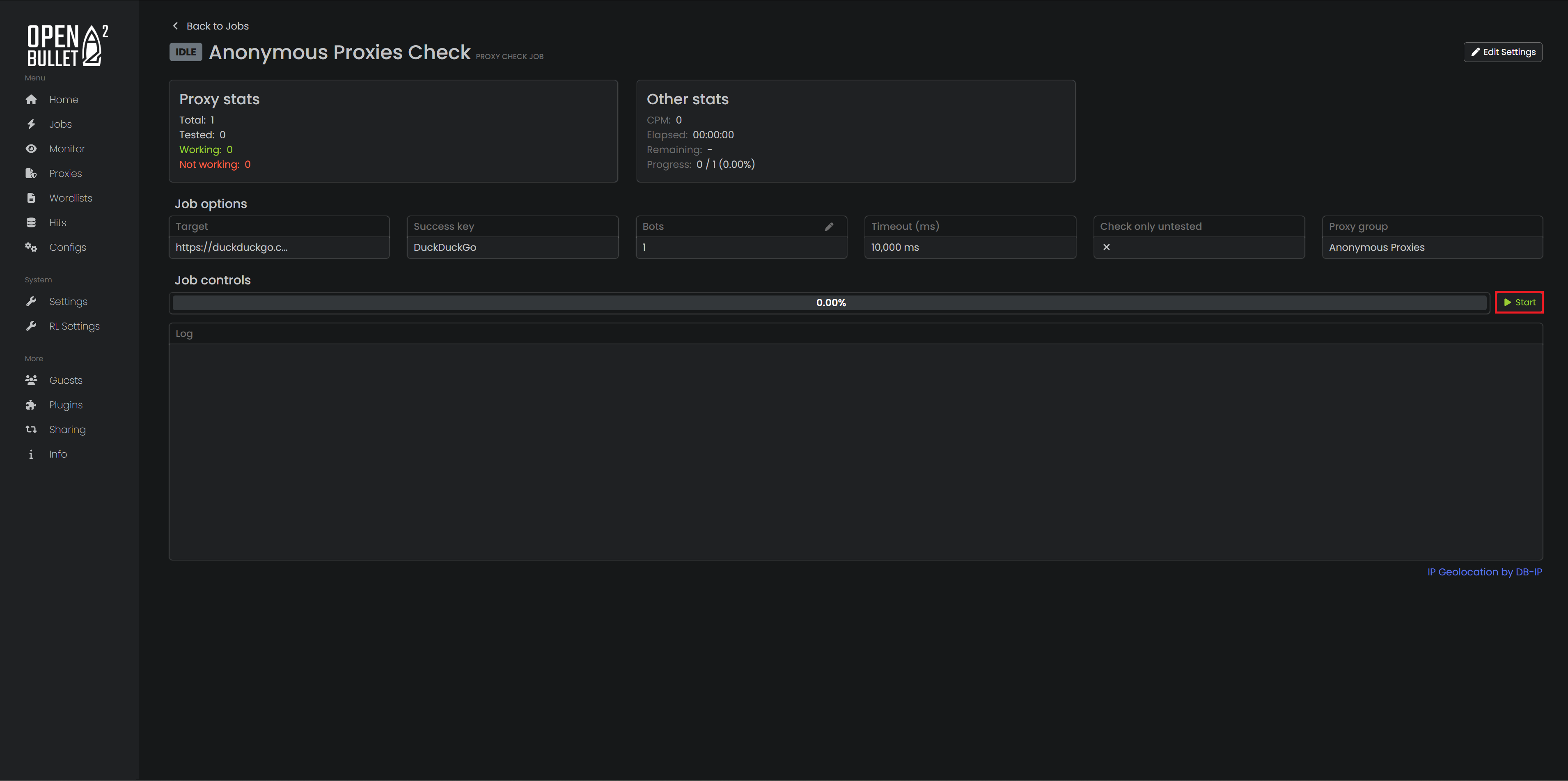
After you create the job, open it and click on Start.
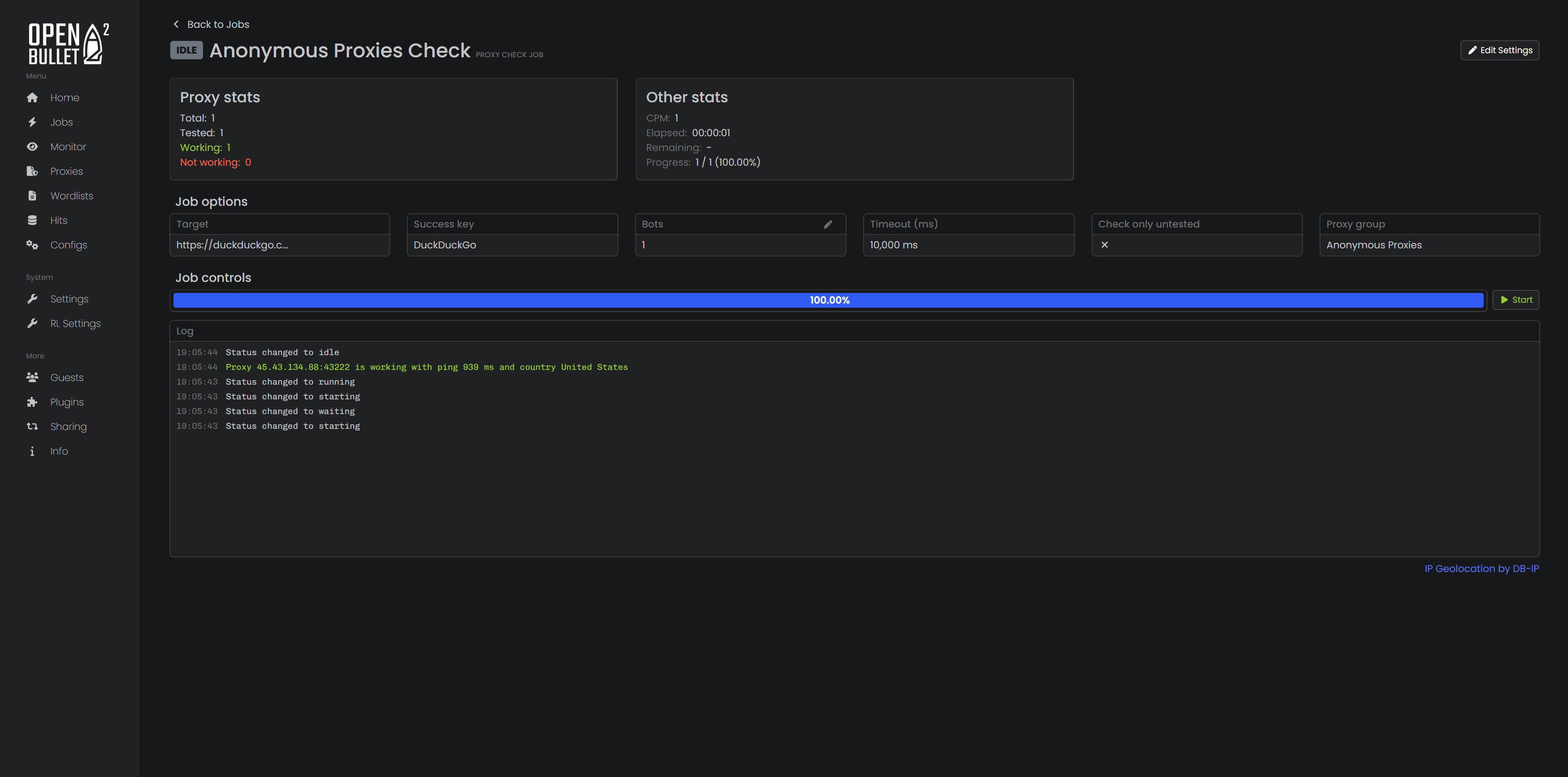
Once proxies show up as Working, your proxy setup is complete.
Residential proxies are usually the safest bet for OpenBullet. They route your traffic through real household connections, so requests look like they are coming from normal users instead of servers. Also, you should know that both our residential and datacenter plans support HTTP and SOCKS5, so you can pick the protocol your config needs whenever you want.
Datacenter proxies focus on raw speed and volume. They are hosted in powerful data centers, which means you can run more threads, refresh data faster, and scale up large scraping or monitoring jobs without breaking the budget. They are easier for some sites to detect than residential IPs, but for lighter protected targets and bulk work they are usually the most efficient option.
ISP proxies give you a hybrid experience: IP ranges that look like residential connections, backed by data center grade performance. They are well suited for long living sessions, account work on stricter sites, or situations where you want more trust than classic datacenter proxies without sacrificing too much speed.
Mobile proxies send your traffic through real cellular networks. Because many users share the same mobile IPs, it is much harder for sites to reliably block them. They tend to be slower and more expensive, but they are the best option when maximum authenticity is needed for your tasks.
Integrating Anonymous Proxies with OpenBullet gives you a more stable, flexible setup, letting you switch between residential, datacenter and other proxy types without overcomplicating your workflow. If you are interested in more integration tutorials with other third-party applications, you can visit our integrations page. Also, if you have any questions about how to set up something, or any other proxy-related questions, we are here to assist you.

We offer highly secure, (Dedicated or Shared / Residential or Non-Residential) SOCKS5, Shadowsocks, DNS or HTTP Proxies.
DR SOFT S.R.L, Strada Lotrului, Comuna Branesti, Judet Ilfov, Romania
@2025 anonymous-proxies.net