

Lean how to set up TexAu with Anonymous Proxies’ residential proxies to run safer automations, avoid bans, and scale your data workflows smoothly.
HTTP Proxies are handling HTTP requests towards the internet on behalf of a client. They are fast and very popular when it comes to any kind of anonymous web browsing.
TexAu is a sales and marketing automation platform that helps you turn scattered lead generation tasks into clear, repeatable workflows. Instead of manually browsing social profiles, copying emails, and updating spreadsheets, you set up flows that collect data and trigger outreach while you focus on running campaigns and closing deals. It pulls lead data from sites and social platforms, then pushes it into the tools your team already uses, so nothing gets stuck in a browser tab.
Because TexAu is built as a no code automation tool, solo founders, agencies, and in house sales teams can all create powerful workflows without writing a single line of code. You design your process once and let TexAu handle the repetitive work in the background.
Some highlights that make TexAu useful for growth teams:
A rich Automation Store with 180+ automations and dozens of ready made workflows aimed at lead generation and outreach
A visual builder plus cloud and desktop runners, giving you flexibility in how and where automations are executed
Native connections to popular CRMs, spreadsheets, email tools, and workflow platforms, along with webhooks and an API
Fine grained scheduling, delay settings, safety limits, and proxy management to keep your automation patterns closer to real human behavior
Integrating Anonymous Proxies with TexAu is quick. After you create your account in the Anonymous Proxies Dashboard and choose a residential or datacenter proxy plan, just follow the steps below.
First, you'll need to log in to your TexAu account and open your main workspace dashboard. Here you start the free trial or go with the paid version.
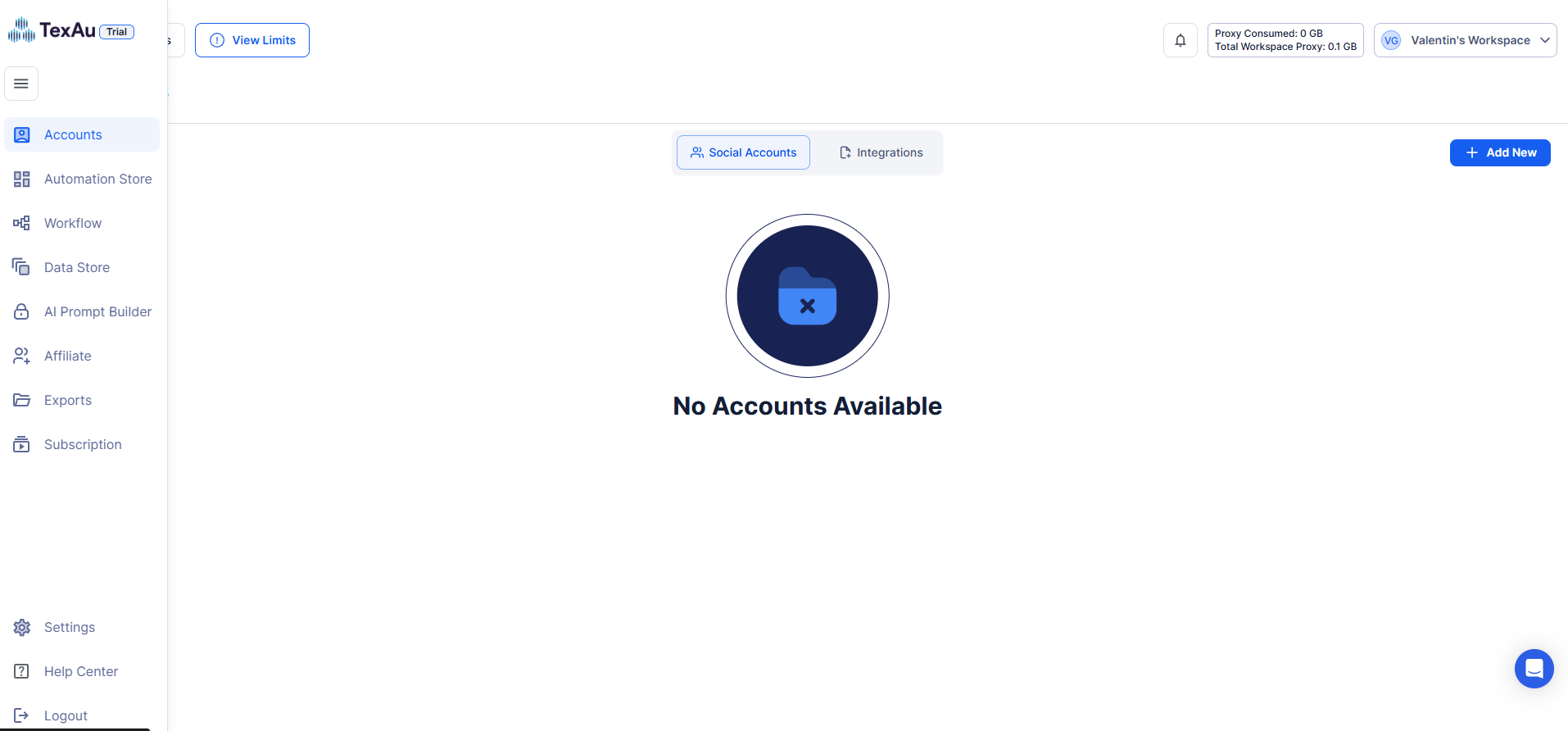
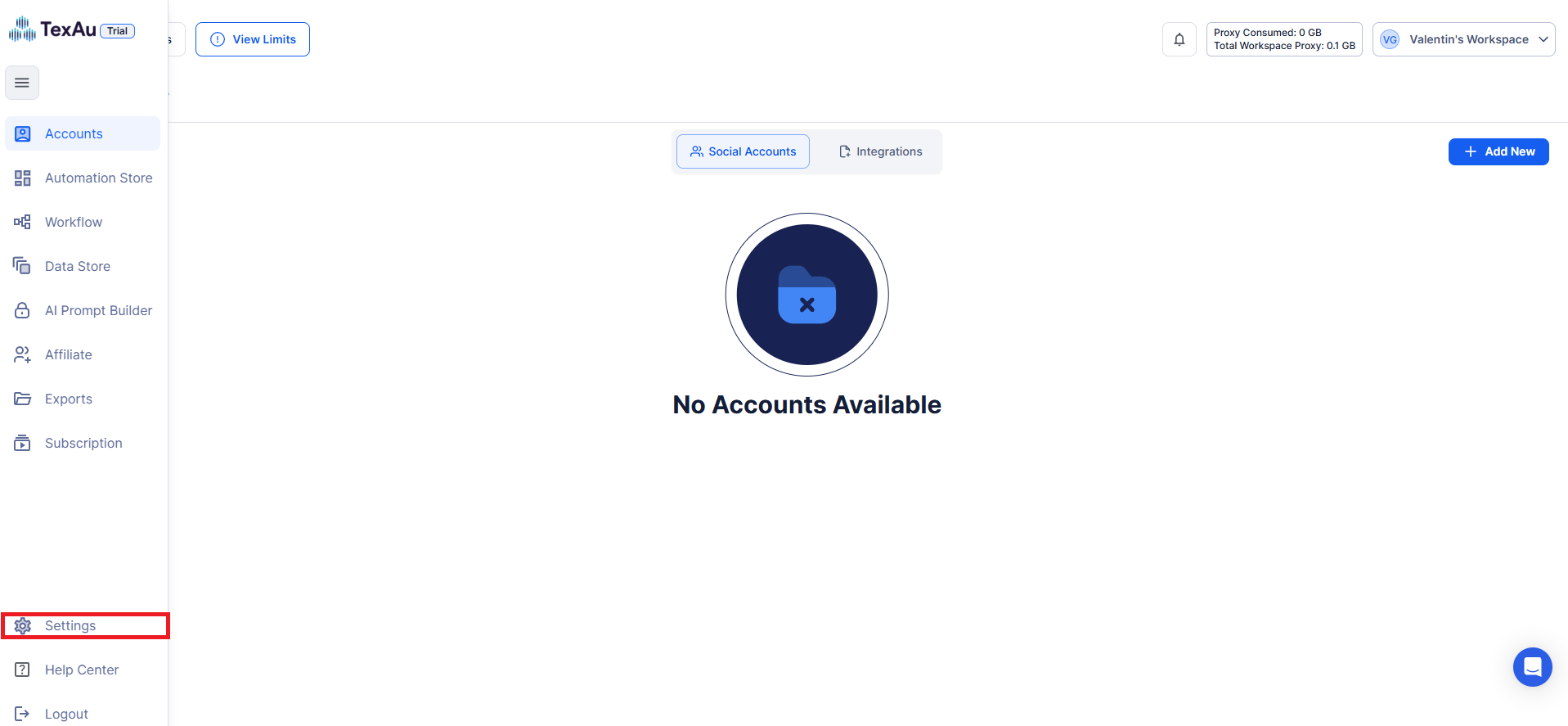
On the left sidebar, scroll down and click Settings. This would open up the section from where you can handle workspace settings like your own proxy settings.
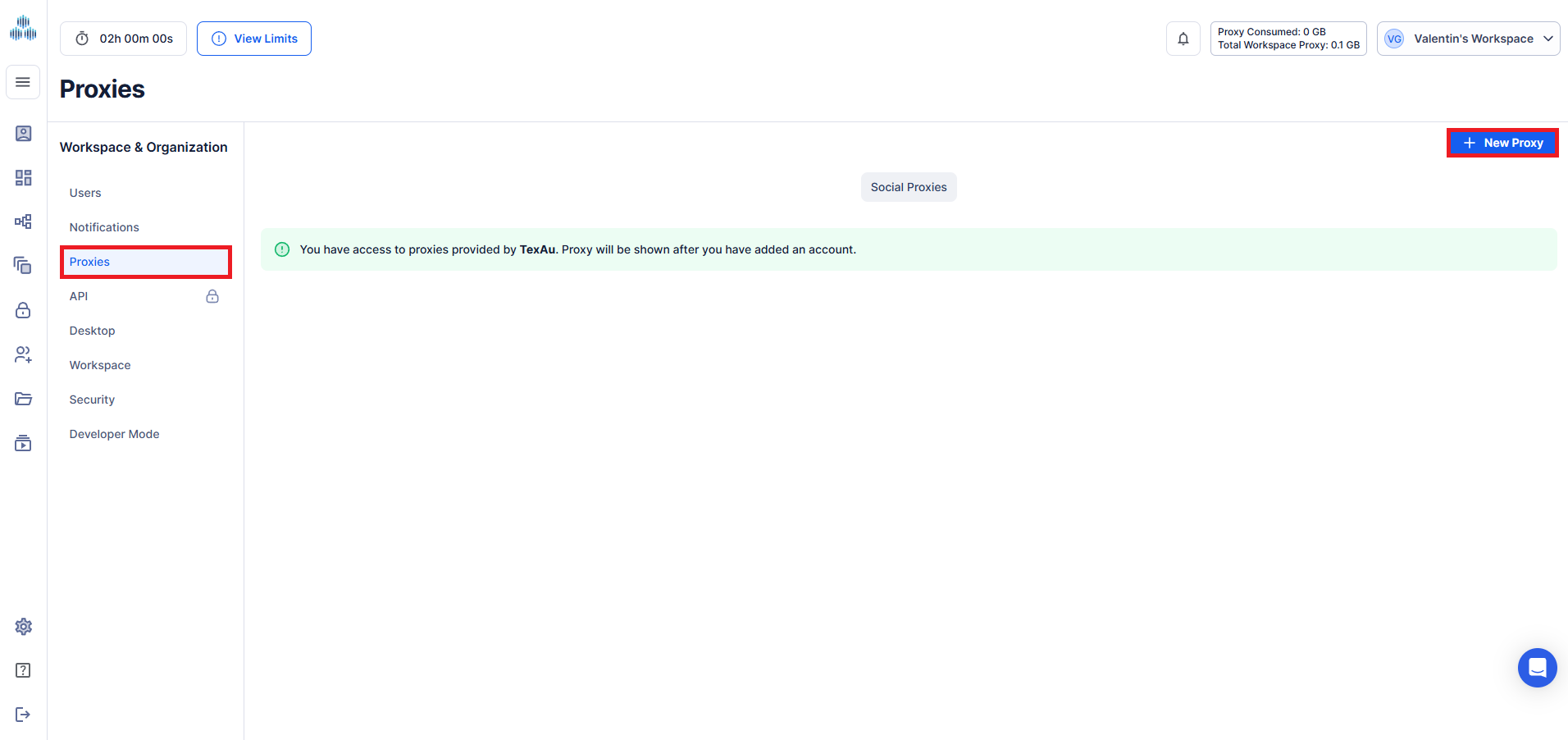
Within Settings, click Proxies from the “Workspace & Organization” category, then click the blue New Proxy button.
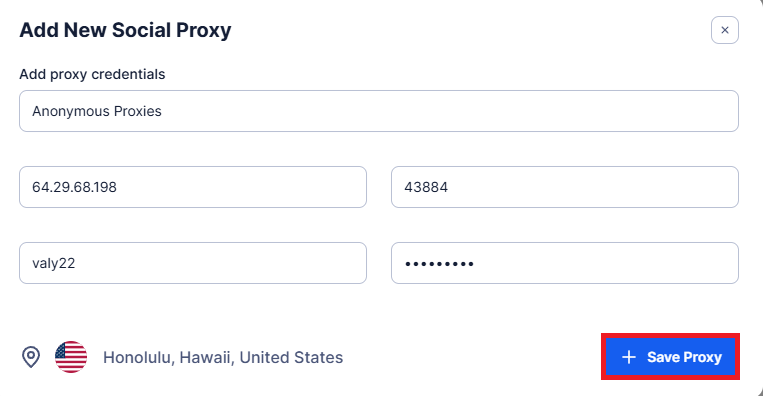
When the window to enter your proxy details open, fill those field with the required information from the Anonymous Proxies dashboard, then click Test Proxy to make sure the connection works.
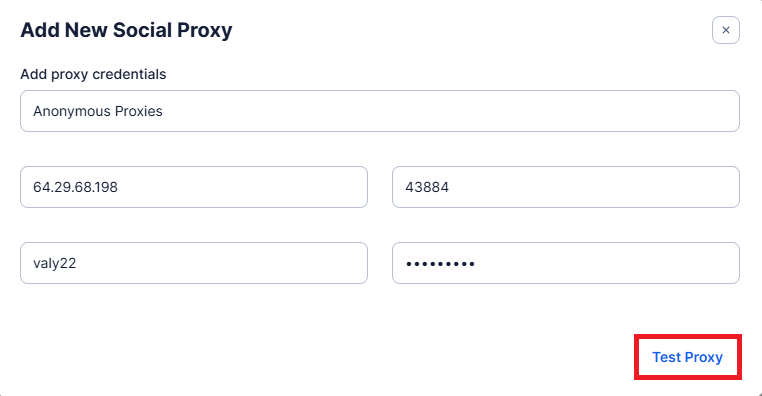
Once the test is successful and you see the location information below the form, you can now click Save Proxy.
When you push TexAu harder, you quickly hit rate limits, captchas, and random blocks. Quality proxies add a safety layer between your automations and the platforms you work on, so things run smoother.
Platforms watch how each IP behaves. If too many actions come from one address, they slow you down or shut you off. Routing TexAu traffic through Anonymous Proxies’ residential and mobile proxies spreads activity across real looking IPs and helps keep your accounts safer.
If you manage many client profiles, giving each one its own residential or mobile proxy keeps footprints separate and makes it easier to organize accounts and troubleshoot issues.
Location also matters. With access to residential and mobile IPs in multiple countries and cities, TexAu can appear to operate locally wherever your prospects are.
TexAu is a pretty strong tool by itself, but if you really want to unlock its real power, you should pair it with our premium residential proxies from Anonymous Proxies.
Now you’ve seen how to set up Anonymous Proxies’ residential proxies with TexAu and connect them to your workflows. If you need help with the setup at any point, just reach out to our support team and we’ll guide you through it. And if you’d like to see more integration tutorials, check out our integrations page.

We offer highly secure, (Dedicated or Shared / Residential or Non-Residential) SOCKS5, Shadowsocks, DNS or HTTP Proxies.
DR SOFT S.R.L, Strada Lotrului, Comuna Branesti, Judet Ilfov, Romania
@2025 anonymous-proxies.net