What Are Residential Proxies? When and How to Use Them
Learn what residential proxies are, how they work, and when to use them for scraping, price monitoring, SEO checks, and ad verification.
Valentin Ghita
Technical Writer, Marketing, Research
Mihalcea Romeo
Co-Founder, CTO
TL;DR: The short version
- A residential proxy puts a real ISP's IP between you and the site you are hitting. The site sees that IP, not yours.
- Use them when the IP's origin and reputation matter more than how fast it is or how much the bandwidth costs.
- Rotating pools are for high-volume work. Sticky sessions are for the cases where the IP has to stay the same for a minute or two, like a login flow or a checkout.
- If what you actually want is speed, a fixed address, cheap bandwidth, or a mobile carrier IP, residential is the wrong tool. Datacenter, ISP, and mobile proxies exist for a reason.
- A residential IP makes you less likely to get blocked. It will not save you from bad headers, a fingerprint that screams automation, or a script firing 200 requests a second.
- The technology is legal. Whether your setup is legal comes down to two things: how the provider got those IPs in the first place, and what you are doing with them.
What is a residential proxy?
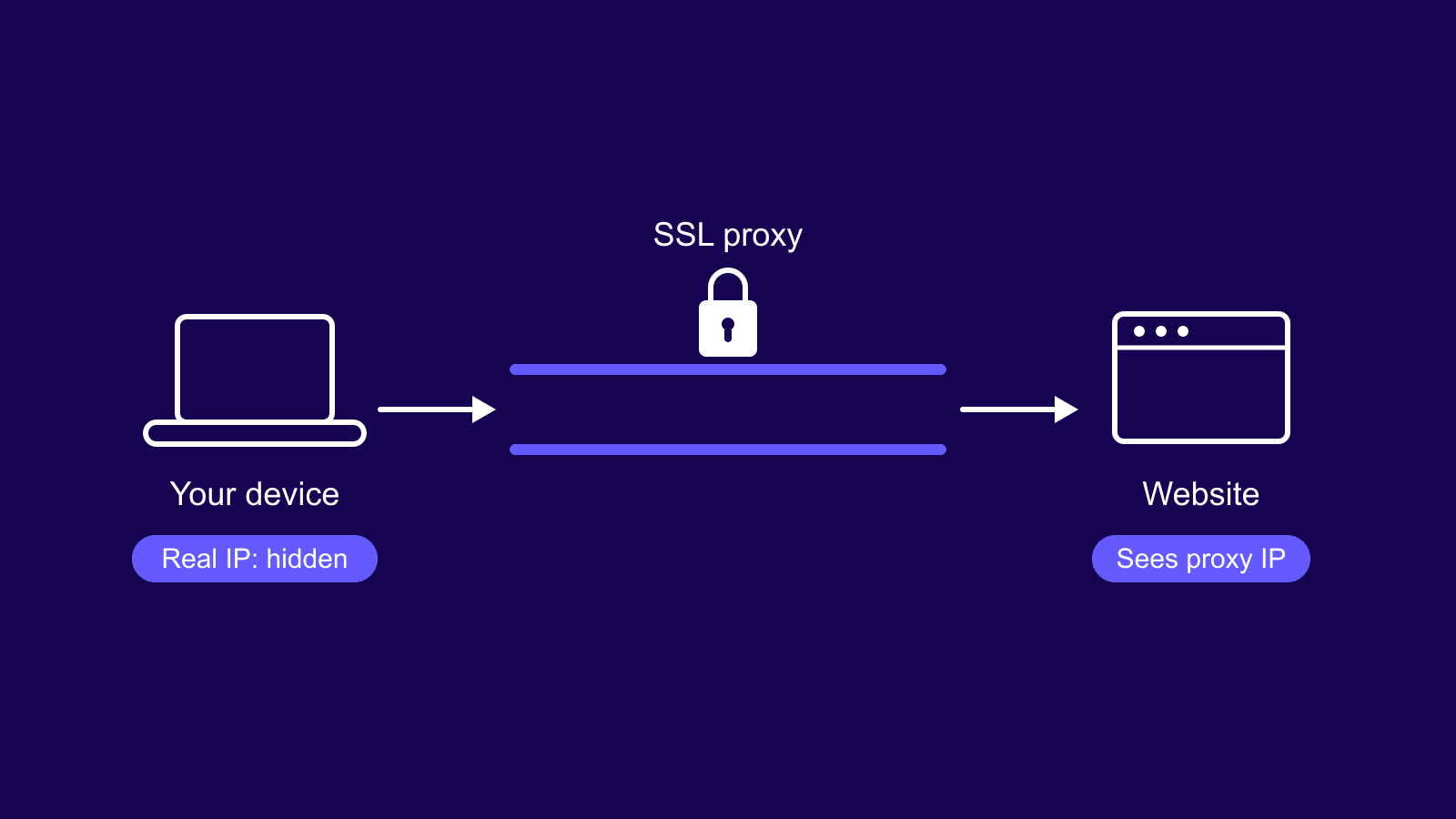
A residential proxy is an intermediary server that forwards your requests to a target site using an IP an internet service provider has assigned to a real home connection. The target sees that proxy IP, its location, and the ISP network behind it. Your original IP stays out of the request.
Residential proxies are not magic. The whole point is the source of the IP. A residential IP belongs to a consumer connection in a real city, on a real ISP, with that network's ASN and reputation profile. A datacenter IP belongs to a hosting or cloud provider and carries that source's ASN and reputation instead. Many websites treat the two differently because the underlying networks are different.
A residential IP reads like a regular home user. A datacenter IP reads like a server. Some targets do not care. Many do, which is where residential proxies pay off.

Buy Rotating Residential Proxies
Real homeowner IPs that rotate on every request. Near-zero block rates for scraping and automation.
How residential proxies work
A residential proxy server sits between your client and the target. The flow looks like this:
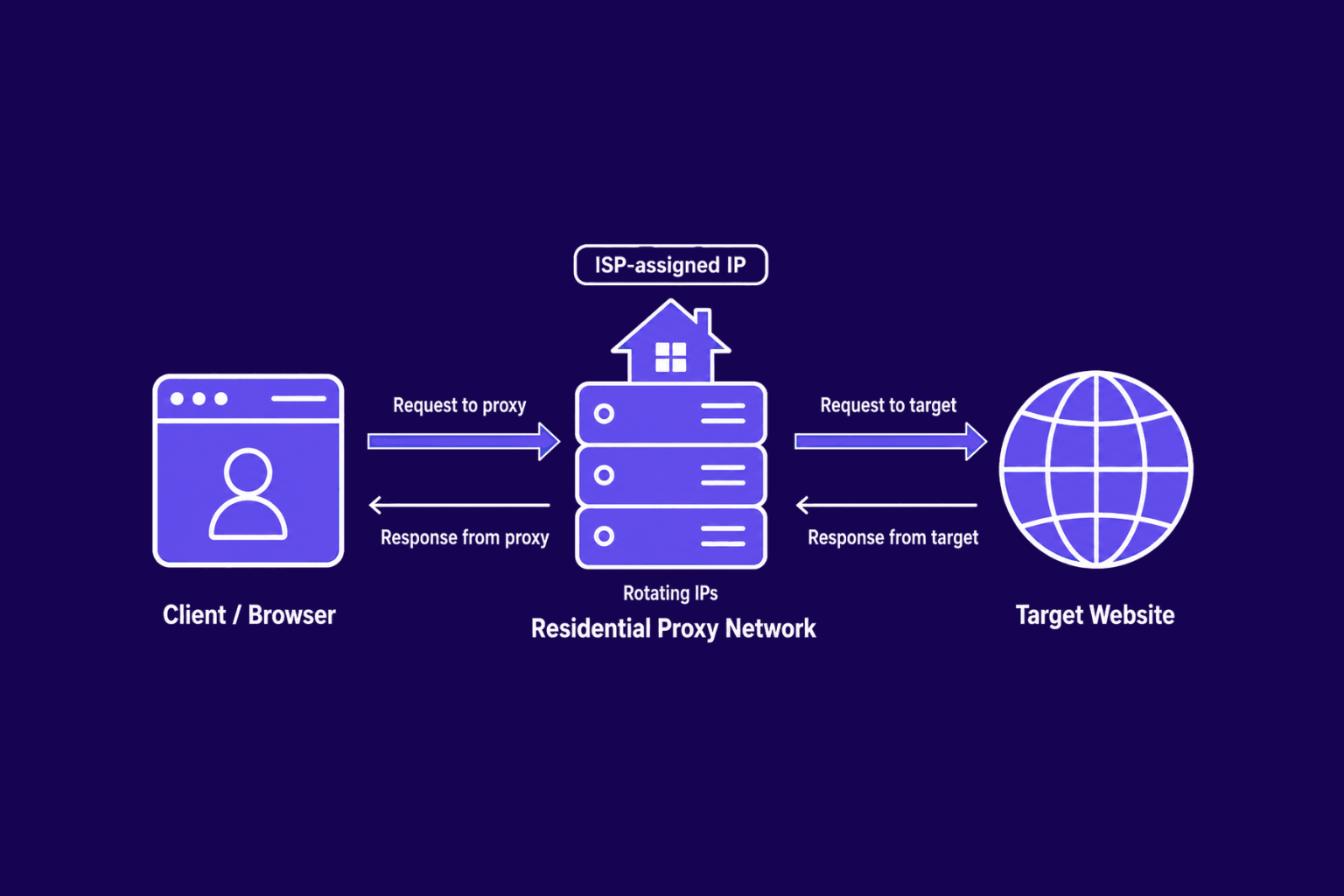
- Your browser, scraper, app, or automation tool sends a request.
- The request arrives at the residential proxy server or gateway.
- The proxy picks a residential IP from its pool.
- The target receives the request from that residential IP.
- The target sends the response back to the proxy.
- The proxy returns the response to your client.
Only the IP changes between you and the target. The rest of the request does not. Headers, cookies, and payload travel as you sent them. That matters because target sites look at more than the IP. They evaluate ASN classification, IP reputation, location signals, request rate, headers, cookie state, browser fingerprint, and session behavior. A clean residential IP paired with sloppy automation still trips detection. For a deeper look, see this guide on how websites detect proxy traffic.
Residential proxies fix the IP side of the equation. They do not fix unrealistic request rates, mismatched fingerprints, suspicious header orders, or abusive patterns. With those, residential IPs delay detection but do not stop it.
Main types of residential proxies
The right type comes down to three things: how you rotate IPs, how long each session has to last, and whether you want the IPs to yourself.
Rotating residential proxies
Rotating residential proxies handle the IP swapping for you. Some rotate on every single request, some on a timer, some only when you start a new session. The point is that no single IP has to carry the whole job. The moment one gets rate-limited, the next request goes out on a different address and nothing breaks.
That makes them the right tool whenever the workload is wide. Scraping at any real volume, SEO tracking, watching prices across a big catalog, ad verification, checking what a page looks like from different countries. The bigger the pool, the less the target sees the same IP twice.
Sticky residential proxies
Sticky residential proxies are the other shape of the same idea. Instead of rotating, they hold one IP for a fixed window, usually somewhere between a few minutes and half an hour. Providers all set that window differently.
You need that window any time the workflow involves more than one request pretending to be the same person. Logging in, filling a cart, anything where the server is following you around with a session cookie. Rotate halfway through and the cookie goes invalid or you get kicked back to the login page. The trade-off is volume. A single sticky IP will eventually run into the same rate limit anyone else would, so it is not the right pick for heavy scraping.
Static residential proxies and ISP proxies
Static residential proxies keep the same IP indefinitely. In practice, most static residential offers are ISP proxies: IPs assigned by an internet service provider but hosted in a datacenter for stability and bandwidth.
ISP proxies win on session continuity, speed consistency, and predictable performance. They fit when the workflow needs a stable identity, when you log into one account repeatedly, or when speed inconsistency from a residential pool causes issues. ISP proxies sit between rotating residential and pure datacenter on cost and behavior.
Dedicated vs shared residential proxies
Dedicated residential proxies belong to one user. Shared ones get split across many. Dedicated IPs give predictable usage history and tighter control over reputation. Shared IPs cost less but carry whatever other users have done with them, which matters for account safety and consistency.
Residential proxies vs datacenter, ISP, and mobile proxies
Each proxy type solves a different problem. Here is how the four stack up.
| Proxy type | IP source | Best for | Main advantage | Main drawback |
|---|---|---|---|---|
| Residential proxies | ISP assigned IPs from real home connections | Targets that block datacenter ranges, geo-sensitive workflows | High trust, accurate location signals | Slower, higher bandwidth cost |
| Datacenter proxies | Hosting and cloud providers | High-volume crawling on permissive targets | Fast, cheap, unlimited bandwidth | Easy to identify as datacenter traffic |
| ISP proxies | ISP assigned IPs hosted in datacenter infrastructure | Stable sessions, account workflows | Residential trust with datacenter speed | Smaller pool, costs more per IP |
| Mobile proxies | Carrier networks via mobile devices | Targets that expect mobile carrier IPs | Highest trust on mobile-aware targets | Most expensive, often slowest |
Residential proxies cost more than datacenter for a reason. The IPs are sitting on actual home internet connections, which means the provider has to either get the user's consent and pay them for the bandwidth, or partner with apps that handle that piece. Either way, you are now paying per gigabyte instead of per IP, and the underlying cost structure is just different. Mobile is more expensive again. There are fewer carrier IPs in circulation, and you cannot grow a mobile pool the way you can grow a residential one.
The choice comes down to what the job actually needs. Residential is the right call when the IP has to look domestic in a specific country and you cannot afford to get blocked. Datacenter is fine when the target does not care about ASN and you just need throughput at a reasonable price. ISP sits in the middle for the case where you want residential-looking traffic but you also need the IP to stay put for hours or days. Mobile is the niche one. Use it when you have confirmed the target gives mobile carrier IPs more leeway than home broadband, which happens on some social platforms and almost nowhere else.
Main residential proxy use cases
Web scraping
Once a scrape gets past a certain size, you hit the usual stuff. Rate limits. 403s. Captcha pages that loop. All of it traces back to too many requests coming from one IP. A rotating residential pool spreads the same volume of traffic across thousands of different addresses, so no single one looks like it is hammering the site.
But the IP is only part of the picture. You still need a reasonable crawl rate, headers that match a real browser, retry logic that actually backs off instead of slamming the door harder, and a workflow that respects whatever the site's rules say. There is a longer breakdown of which proxy type fits which kind of scraping in the best proxies for web scraping guide.
Price monitoring
Price monitoring covers ecommerce catalogs, marketplace listings, travel fares, and any commerce site that varies price by region. Residential IPs show you prices the way a local shopper sees them, including stock availability, regional discounts, currency display, and listings that hide or surface based on shopper location.
SEO monitoring
Search results vary by location. From one IP, you get one regional view. Residential IPs from different countries and cities surface local SERPs, local pack results, and the visibility your site or competitors have in each market. Ranking shifts, SERP feature changes, and competitor checks all need that geographic spread.
Ad verification
Ad verification is the job of checking that an ad you paid for actually ran where it was supposed to. Right country, right city, right pages. The only way to verify that properly is to load the page from an IP inside the audience you targeted, which is what a residential proxy in that market gives you. You see what the user in that location would see: the creative, where the click lands, the full redirect path the ad network is firing through, and whether any of that matches what the media plan said. It is also the main way agencies catch geo leaks and ads showing up in the wrong country entirely.
Localized content checks
Many sites change content by location. Language switches, currency displays, regional product catalogs, country-specific offers, geo redirects, and country blocks all depend on the visitor's IP. Residential IPs from the relevant country show you the exact page version a local visitor sees, including the parts hidden or replaced for other regions.
When residential proxies are not the best choice
Residential proxies are not a default. Skip them or pick a different type when:
- The target accepts datacenter traffic without issue. Paying residential rates buys nothing extra.
- Speed matters more than IP trust. Residential connections vary in latency compared to datacenter proxies.
- Budget is tight and the workload is large. Bandwidth-priced plans get expensive fast on heavy crawls.
- The workflow needs one stable IP for a long time. ISP proxies handle that better than a residential pool.
- The real problem is bad headers, fingerprint mismatches, or aggressive request rates. Fresh IPs delay detection but do not fix what is underneath.
- The workflow needs non-HTTP traffic. Custom protocols, FTP, or anything that benefits from generic TCP routing fit SOCKS5 proxies better.
Are residential proxies legal?
Residential proxies are legal as a technology. They are infrastructure. What decides whether your specific use of them is legal is two things: where the IPs came from in the first place, and what you point them at.
Sourcing has to be done properly. The person whose home connection makes up part of the pool needs to know about it and needs to have actually agreed. Networks that get built by quietly bundling SDKs into free apps without meaningful consent are a real legal problem, both for the provider and eventually for the people buying from them. Stay away from those.
What you do with the proxy matters just as much. Pulling data from pages a regular browser can load without logging in is one thing. Getting into private accounts, paywalled material, personal data, or anything sitting behind authentication is a completely different conversation legally. The exact rules depend on what country you are in, what country the target is in, and what the site's own terms say, so you cannot really answer this in the abstract. There is a longer write-up on the specifics in is web scraping legal.
What residential proxies should never be used for: fraud, spam, credential stuffing, hijacking accounts, hacking in any form, bypassing access controls, or grabbing data you have no right to. That is where a legal tool turns into an illegal act, and the proxy does not protect you from that. This is general information, not legal advice. If your use case is anywhere near the line, talk to an actual lawyer in your jurisdiction.
How to choose and start using residential proxies
A solid residential proxy provider should give you:
- Transparent IP sourcing
- Country and city level targeting
- Rotation and sticky session controls
- HTTP, HTTPS, and SOCKS5 support
- Username and password auth plus IP whitelisting
- A usable dashboard and API access
- Clear bandwidth pricing
- Responsive support and a published acceptable use policy
If any of these are missing or vague, treat it as a warning sign.
Anonymous Proxies covers all of the above, with transparent sourcing, country and city targeting, and rotation, sticky sessions, and SOCKS5 all configurable from one dashboard.
Once you have an account, setup is straightforward:
- Pick the proxy type that fits the workload (rotating, sticky, static, or ISP).
- Select the country or city you need.
- Copy the host, port, username, and password from the dashboard.
- Add the proxy to your browser, scraper, app or automation tool.
- Test the outgoing IP through any IP-check endpoint.
- Adjust rotation interval or sticky session length to match the workflow.
- Run a small test before scaling up.
A short test catches the obvious issues (auth typos, wrong region, rotation too aggressive) before they hit production.
Wrap up
Most of the questions people ask about residential proxies come down to one thing in the end: what is the target site actually paying attention to? If it cares about where the IP is coming from, residential earns the price tag. If it does not, you are paying a premium for a signal nobody is checking, and a datacenter proxy will do the same work faster and cheaper.
None of that means residential is only for scraping difficult sites either. Some heavy scraping jobs run fine on datacenter IPs, and some small workflows on otherwise easy sites still want the residential layer for reasons specific to that target. If you are not sure which one applies to your case, contact our support team and we will help you figure out the right setup before you commit to a plan.
Frequently asked questions
Frequently Asked Questions
What is a residential proxy used for?
Anything where the IP needs to look like it belongs to a real person at home. Scraping sites that block hosting ranges. Watching prices or search results that change by location. Confirming an ad actually ran where the media plan said it would. Testing software or content that only works in certain countries. The use case varies, the requirement is the same.
Do residential proxies hide your real IP?
The site you are hitting sees the residential IP, not yours. That part works. But the IP is only one of maybe a dozen signals a serious detection stack looks at. Fingerprint, header order, timing, the way you move through the page, all of it adds up. Swapping the IP closes the easiest door. It does not close all of them.
Are residential proxies legal?
The tech is legal. Whether your particular use is legal depends on two separate things: how the provider sourced the IPs, and what you are doing with them. Reading public pages sits on much firmer ground than touching anything behind a login, behind a paywall, or anything involving personal data. Local law and the site's terms still apply on top of all of that.
Can residential proxies be detected?
Yes, in some cases. The harder targets cross-check ASN data against IP reputation databases, look at request patterns over time, and compare your browser fingerprint against what a normal user from that region looks like. A residential IP attached to obvious bot behavior gets caught the same as anything else. The proxy lowers your block rate. It is not a cloak.
Are residential proxies better than datacenter proxies?
Different jobs, different answers. Residential is better when the site cares about IP trust or geographic origin. Datacenter is better when it does not, because you get more speed for less money. On a relaxed target, paying for residential is just lighting bandwidth budget on fire. On a strict target, datacenter will get nowhere and residential is the only thing that works.
What is the difference between rotating and sticky residential proxies?
Rotating proxies change the IP for you, either on every request or on a fixed timer. That is what you want for scraping at volume, where no single IP should ever look like it is doing too much. Sticky proxies pin you to one IP for a few minutes at a time. That is what multi-step flows need, things like logging in, filling a cart, or working through a dashboard that uses session cookies. Rotate one of those mid-flow and the whole session breaks.
Why are residential proxies more expensive than datacenter proxies?
Because there is more behind each one. Real home connection, consent from the person whose IP it is, usually some form of payment to that person, and infrastructure that bills by the gigabyte instead of by the IP. Datacenter pricing is flat because the IPs sit on hosting servers that scale linearly. You are not paying for an IP, you are paying for a sourcing chain.
Are residential proxies good for web scraping?
On targets that block hosting ranges or rate-limit aggressively, yes. They are often the only thing that gets past the first wall. But the IP layer alone will not save a badly written scraper. Pair it with rotation, headers that look like a real browser, timing that does not scream automation, and retries that back off when the site pushes back. Half the success rate is the proxy. The other half is whether the code behaves like a person.